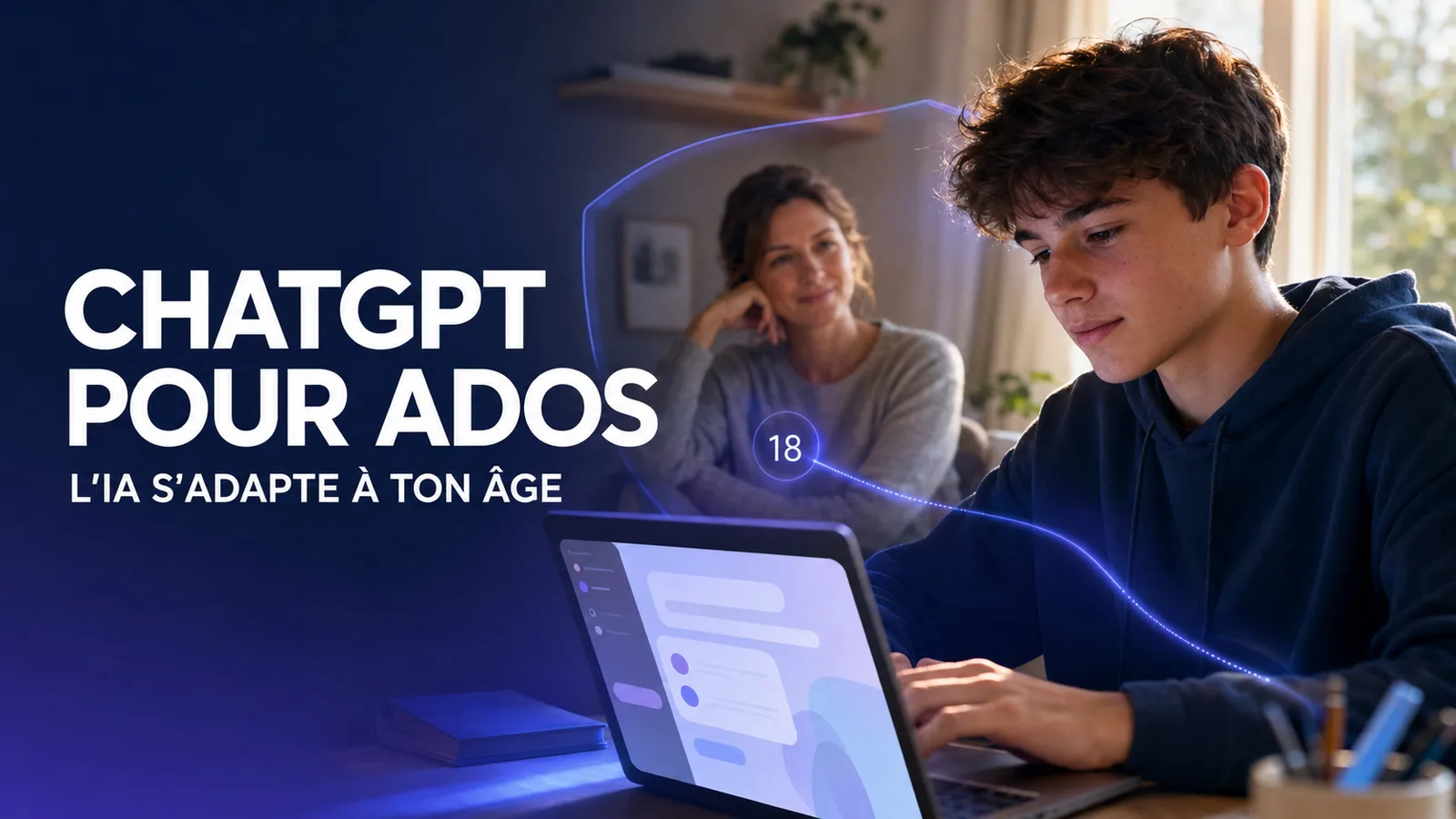
Up until now, we all thought we were using ‘the same ChatGPT’.
This is gradually becoming less true.
On 18 August 2026, OpenAI announced ChatGPT for Teens, a feature automatically applied to users aged between 13 and 17, as well as to accounts that its system deems likely to belong to someone under the age of 18.
Behind a name that might seem merely educational, the change runs much deeper.
ChatGPT is beginning to tailor its rules, safeguards, certain features and user experience according to the user’s declared, verified or estimated age.
The logic is simple:
age detection → different experience → different safeguards and features.
And this trend isn’t limited to teenagers. It illustrates the direction digital platforms are taking: in future, age will no longer be merely a date entered during registration. It will become a factor capable of shaping the user experience itself.
What is ChatGPT for Teens?
ChatGPT for Teens is not a separate app, nor is it a ‘simplified’ version of ChatGPT.
OpenAI describes it as the same assistant capable of helping users to learn, create, explore, code or work on ideas. The difference lies in the safety features enabled by default, the features designed for learning and the options available to parents.
A teenager who states they are aged between 13 and 17 when registering may be automatically directed to this experience. The same applies when OpenAI assesses that an account likely belongs to a minor. OpenAI, announcement dated 18 August 2026
The stated aim is therefore not to prevent young people from using AI. Rather, OpenAI wants to encourage more active and supervised use:
- understanding a lesson rather than simply copying an answer
- Solving a problem step by step
- test your knowledge with quizzes
- develop a creative or technical project
- receive reminders encouraging you to take a break.
One of the most interesting changes is the Responsible Homework Reminder. When a teenager appears to be trying to get round a homework assignment, ChatGPT can redirect them to Study mode rather than simply providing them with a ready-made answer.
The message is clear: AI can help with learning, but it should not become an automatic shortcut.
How OpenAI determines whether you are under 18
This is where the advert becomes particularly important.
ChatGPT does not rely solely on the date of birth provided when creating an account. OpenAI also uses a system ofage estimation.
This system analyses various signals relating to the account and its usage, including:
- the general topics covered in the conversations
- the usual opening hours
- how the account is used over time
- account age
- the age declared by the user.
OpenAI does not present this mechanism as absolute proof. It is an additional safety measure. The company acknowledges that a system can make mistakes and states that it prioritises the most protective approach when it is unsure of a user’s age. OpenAI documentation on age estimation
In practical terms, this means that an adult could be mistakenly placed in the experiment intended for teenagers.
In this case, she can request age verification via her account settings. Depending on the country, this verification may involve a live selfie, an official ID document, or both, via the service provider Persona.
OpenAI states that it does not receive the identity document or the selfie. The company only receives the information necessary to determine the appropriate experience, such as date of birth or confirmation of legal age. Persona states that it deletes the documents and selfies submitted within seven days of verification.
This clarification is important: age becomes a variable in the user experience, but this inevitably raises a question of trust. The more a platform personalises its rules, the more clearly it must explain what data is used, why, and within what limits.
Parental controls, learning and sensitive content: what are the differences?
The first difference concerns sensitive content.
For accounts classified as belonging to minors, ChatGPT applies additional safeguards in a number of high-risk situations, particularly regarding:
- graphic violence
- viral challenges that may encourage dangerous behaviour
- romantic, sexual or violent role-playing games
- on self-harm
- eating disorders, extreme beauty standards and body shaming
- dangerous activities or sexually explicit content.
The idea is not simply to block words. OpenAI is seeking to adapt the model’s behaviour in contexts where age, maturity, impulsivity or social influence may alter the level of risk. OpenAI, an approach to age estimation
The experiment also includes break reminders to encourage more balanced use, as well as warnings before certain potentially sensitive images are sent.
More visible learning tools
ChatGPT for Teens places greater emphasis on Study Mode, quizzes, educational visualisations and homework reminders.
Study mode uses guided questions, step-by-step explanations and comprehension checks. The aim is not to provide the answer straight away, but to help the pupil work out the reasoning for themselves.
Parents can also define Study Hours : during these time slots, new eligible conversations start with Study mode enabled. Please note: this setting does not prevent access to ChatGPT. It simply determines how a conversation begins.
What parents can actually control
Parental controls work via a link between the parent’s or guardian’s account and the teenager’s account. The invitation can be sent by either the parent or the teenager.
Once the accounts have been linked, the parent can manage several settings, including:
- the reduction of sensitive content
- using conversations to improve models
- memory usage
- voice mode
- image generation and editing
- certain access features linked to ChatGPT Work, such as Codex network access or the cloud browser
- Enabling Study Mode
- Study Hours
- the Quiet Hours, periods during which the teenager is not permitted to use ChatGPT, including ChatGPT Work.
The key point is this: Parental controls do not provide access to the teenager’s conversations, chat history or real-time activity.
OpenAI does, however, provide limited notifications in certain serious safety situations, for example when a significant risk of self-harm is identified and assessed by trained reviewers. These notifications do not contain a transcript of the conversation and are not a substitute for parental care, a healthcare professional or the emergency services. Official Guide to Parental Controls
This is an important distinction: the system is not presented as a surveillance tool. Rather, it aims to provide settings and warning signals in limited circumstances.
Why this development goes far beyond ChatGPT
The advert talks about education, safety and parental control. But the issues at stake go far beyond these three topics.
It marks the shift towards platforms where the rules are no longer necessarily the same for everyone.
For a long time, age was mainly used to open or close a door: to create an account, view content, or accept terms and conditions.
He can now even alter the behaviour of an AI:
- what it agrees to generate
- the way she responds
- the features it highlights
- the reminders it displays
- settings that a parent can manage
- the security mechanisms triggered in the background.
This is a major development.
Because a conversational AI is not simply a news feed. It can help people learn, reassure them, offer advice, simulate a conversation, create an image, write a text or support personal reflection. Adapting this type of tool to a person’s age is therefore not just a moderation decision: it is a product design decision.
However, a distinction must be made between the fact and the analysis.
The fact is: OpenAI now applies a different experience for accounts identified as belonging to teenagers.
Analysis: This decision makes it more likely that, in the future, platforms will tailor their rules more closely to a user’s estimated age, risk level, context of use or presumed maturity.
This model could inspire other AI services, social platforms, educational tools or creative spaces. But it also raises some real questions:
- Can an age estimate be reliable enough?
- What happens to adults who are poorly ranked?
- To what extent should a platform analyse usage signals?
- How can we protect minors without turning the platform into an opaque or infantilising space?
- Where does the line between security, personalisation and surveillance lie?
OpenAI has provided an initial response: adults who have been mistakenly placed in the teenage experience can verify their age and remove these restrictions. But the debate is only just beginning.
Key takeaways
ChatGPT for Teens does not create two completely different artificial intelligences.
It creates two different experiences of the same tool, with rules, safeguards and settings that may vary depending on the user’s declared, verified or estimated age.
For teenagers, this means more safeguards, a stronger focus on learning, reminders to take breaks and parental controls.
For parents, this provides practical controls without granting access to private conversations.
For all other users, this announcement signals a wider shift: platforms are no longer content merely to verify age. They are beginning to use this information to tailor what a service displays, allows and protects.
AI is evolving rapidly, but using it responsibly also requires an understanding of the rules and limitations of these tools. Find educational resources at VIFLY AI to gain a better grasp of these new ways of using it.
FAQ - ChatGPT for Teens
Who is automatically switched to ChatGPT for Teens?
Users who state that they are aged between 13 and 17, as well as accounts that OpenAI considers likely to belong to someone under the age of 18, may be automatically enrolled in this experiment.
Can a parent read their teenager’s messages?
No. The parental link does not provide access to conversations, chat history or real-time activity. Any safety notifications remain limited and do not contain the messages exchanged.
Can an adult who has been mistakenly placed in ChatGPT for Teens revert to the standard experience?
Yes. An adult can verify their age via their account settings in order to have the safeguards intended for teenagers removed.
Are these features already available to all teenagers?
Not necessarily. OpenAI states that the roll-out is taking place gradually and that certain features may become available over the coming weeks, depending on the account and region.
Sources
- Introducing ChatGPT for Teens: Built for learning, backed by protections — OpenAI, 18 August 2026
- ChatGPT for Teens — OpenAI Help Centre
- Age prediction in ChatGPT — OpenAI Help Centre
- Managing parental controls in ChatGPT — OpenAI Help Centre
- Our approach to age prediction — OpenAI
Create your LinkHub today
Centralise your links, offers, content and services on a clear and professional page.
Get your services booked in just a few clicks
Offer your services, show your availability and simplify your bookings with VIFLY Booking.
Links to the platform: VIFLY