VIFLY IA workshops · Method and model
Create a FAQ that answers the real questions of your prospects
Group objections, write direct answers and check them against your offer. Example and editable FAQ template.
Drafting VIFLY · Published on
How to create a useful FAQ from prospect questions?
Collects questions such as prospects and groups those that prevent the same decision. Answer from the first sentence, then specify the relevant conditions. Check the answer with the actual offer and place it near the stage where the prospect needs it.
From the question received to the useful answer
-
Collect
Note the formulations and when the doubt appears.
-
Group
Associates each question with the decision it blocks.
-
Answer
First give the answer, then the useful conditions.
-
Check
Read it again and place the answer near the action.
From the questions your prospects really ask
Group the questions received in emails, forms and framing exchanges. Note the starting formulation, the time of the journey and the decision that is binding. Remove name and identifier details. Take a look at what comes back before a click, before a payment or before preparing the appointment.
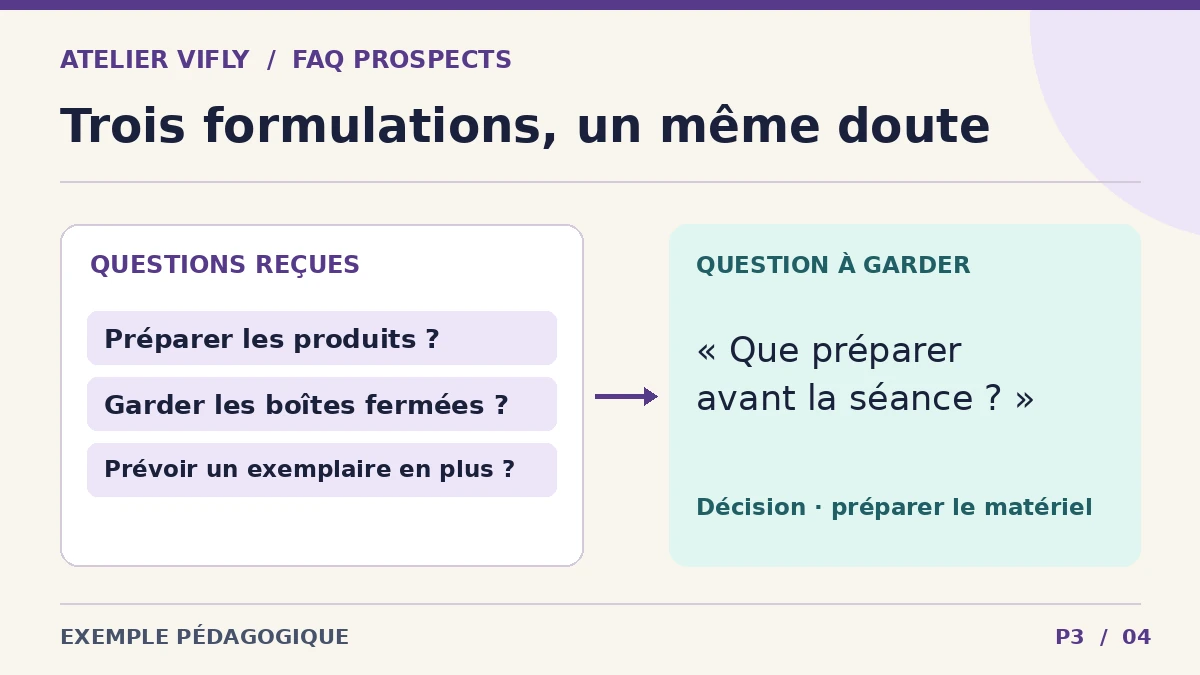
In our fictitious case, a photo studio receives three close formulations. "Do I have to prepare the products?", "Can the packaging remain closed?" and "Do I need a spare copy?". These questions belong to the same subject. The title is kept clear, and the cases that change the preparation are clarified.
Keeping objections that prevent decision-making
Classifies each question by decision, rather than by keyword. Does the prospect want to know whether the offer suits him, know the price, prepare, understand a deadline or what he receives? Put back questions first and those that change the decision, even if they happen less often.
| Prospect question | Answer published in the example | Decision facilitated |
|---|---|---|
| What should I prepare before the session? | Prepares clean products and their packaging. If a view requires the opening of a package, provide a spare copy. | Prepare the equipment. |
| Can I ask for a photo detail? | Indicates the details to show in your application. It will be counted as a separate view within the proposed perimeter. | Choose the necessary views. |
| What does it take to get a price? | Indicates the number of products, expected views and media where you intend to use the images. | Completing an exploitable demand. |
| When will I receive the files? | The deadline is set out in the proposal. It starts after shooting and validation of the expected elements in this example. | Anticipate delivery. |
Model FAQ sheet to be completed for each question
FICHE FAQ
Question telle que le prospect la formulerait — [texte]
Décision que la réponse doit faciliter — [choisir, préparer, demander]
Réponse directe — [la phrase qui répond tout de suite]
Conditions ou limites — [ce qui change la réponse]
Exemple ou chiffre confirmé — [seulement si nécessaire]
Prochaine action — [lien ou indication si elle aide réellement]
Référence interne — [document, personne ou fiche qui valide la réponse]
Date de vérification — [date]
Download the Outlook FAQ template in editable text (in French).
Check each answer next to the actual offer
Asks AI to consolidate the questions and propose a first sentence. Then confirm the prices, deadlines and conditions from your own documents. If an item remains variable, explain what makes the answer vary or how to get it.
Place each response near the stage concerned. Prerequisites are useful near the form. The conditions of the session are useful before the slot. See questions when the offer changes or when a prospect still hesitates after reading the FAQ. See where to include these responses in a presentation page (in French).
Frequently asked questions
How to find the questions to put in a FAQ?
Reread your scoping exchanges, forms and questions before booking. Note the vocabulary of the prospect and the decision he is trying to make. Remove the identifier details before working on it.
How many questions to display at the beginning?
Starts with questions that actually help choose, prepare or send a request. A small FAQ read and placed in the right place is easier to keep up to date than a long list of rarely useful answers.
How to answer a question about a price that varies?
Explain what makes the price and what the prospect must provide to receive an amount. For product photos, this may include the number of products, expected views and usage media.
Where to place the FAQ on an offer page?
Put the answers that influence the decision near the price, reservation or form. You can keep a FAQ section lower for details that don't need to interrupt playback.
How do I know if my FAQ is still useful?
Observe what questions continue to come back and when. Check if the answer is accurate and visible before action. Update it as soon as a condition of the offer changes.