A useful rate links an action to the population that could do it. To follow a course, keep the same cohort, the same unit and an explicit observation window. Divide reservations of the month by the clicks of the day produces a number without reliable interpretation.
The figures below are fictitious and are only used to explain the calculations. They do not describe the performance of VIFLY or a customer.
Contents
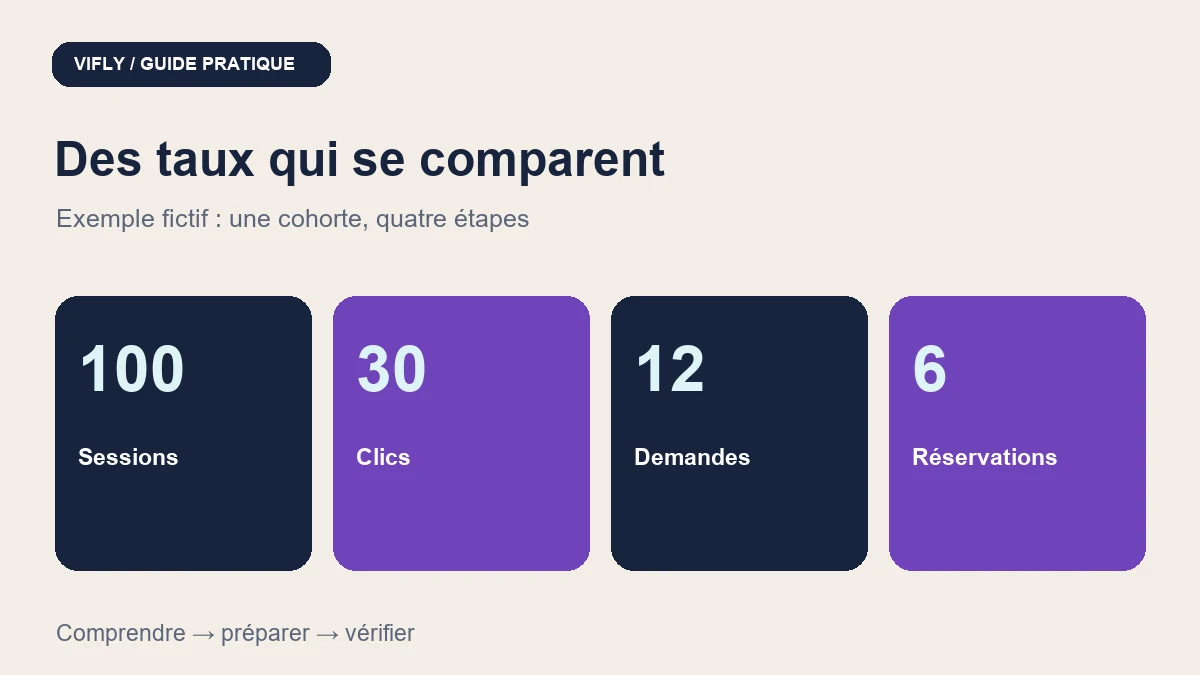
A consistent course of 100 sessions at 6] reservations
Demonstration cohort: 100 sessions arrived on the same page from 1er to 14 November 2026. Each session is counted once in each step. The same route ID is linked to the actions carried out within seven days of arrival; The analysis is therefore closed on 21 November. It is a set of pedagogical data, not a promise of automatic monitoring between all the tools.
| Metric | Numerator | Denominator | Calculation | Reading time |
|---|---|---|---|---|
| Click to offer | 30 sessions with at least one click | 100 session arrivals | 30 / 100 = 30 % | Transition from page to offer |
| Request after click | 12 sessions with a valid request | 30 sessions clicking | 12 / 30 = 40 % | Transition from supply to demand |
| Reservation after request | 6 sessions with booking confirmed | 12 sessions with a request | 6 / 12 = 50 % | Transition from application to confirmation |
| Booking on the full route | 6 sessions with booking confirmed | 100 session arrivals | 6 / 100 = 6 % | Overall result of this cohort |
The channel is well nested: 6 reserved sessions are part of 12 requests, themselves among 30 clicks and 100 arrivals. The product 30 % × 40 % × 50 % = 6 % describes the same cohort here. It becomes misleading if you replace a step with requests from a DM or reservations from another period.
Define what each step counts
- Visit: session or person, depending on your measure. Do not use these words as synonyms.
- Click: Total event or session clicked. Ten clicks from a single session are not ten prospects.
- Valid request: usable form, excluding spam, test, duplicate and request without contact details necessary for tracking.
- Confirmed booking: confirmation obtained according to the service and, if necessary, payment validated. A simply selected slot or pending request is not a confirmed reservation.
- Cancellation and Presence: states followed separately. Six confirmations do not mean six sessions held.
Direct bookings without a form are another route. Present them separately with their own denominator. If you don't know how to link the steps, display their volumes side by side and report this limit instead of calculating a fake funnel.
A drop does not automatically mean the cause
| Possible observation | Concrete verification | Conservative hypothesis |
|---|---|---|
| Many arrivals, few clicks | First screen, button title, functional link and source suitability | Action may lack clarity; traffic may also be irrelevant. |
| Clicks but few requests | Perimeter, price, proof, form and mobile operation | The page or the number of questions can slow down; check before rewriting. |
| Requests without reservation | Response time, proposal, slots, spindle and conditions | A friction may appear after the form. |
| Confirmations and absences | Confirmation, Conference Link, Reminders and Deferral | The number of reservations is not enough to judge the course. |
Rules that avoid misleading percentages
General formula: pass rate = units having reached the next step / units eligible for this step × 100. With a zero denominator, the rate is not computable: displays " —" and zero volume, not "0 % conversion. With three requests, only one booking greatly changes the percentage; keeps the volumes visible.
To compare two periods, also indicates the source, the devices, the offer, the dates and the time allowed for conversions. If the follow-up is incomplete due to consent choices, multiple devices or multiple tools, specify that the data are partial. Do not try to bypass these choices to reconstitute people.
A small, exploitable steering panel
Your statement may contain: arrival cohort, end of follow-up, source, unit, arrivals, clicked sessions, valid requests, confirmations, cancellations and sessions held. Add a column "Quality of connection": complete in the demo game, partial or unknown in your actual data. Consists of a single action to test and the rereading date.
In VIFLY, consult available statistics and Booking data for their own perimeter. The table above is a method of reading, not the announcement of an automatic allocation of each application. Growth Radar can help choose a priority; completes this diagnosis with volumes and actual returns.
To work on the first transition, uses example of bio before/after. For the last one, check information and reminders before a meeting.