

Google is finally providing access to AI visibility. Not the whole story yet, though.
Your page appears 2,000 times in Google’s generative experiences. Is that good news?
Perhaps.
But this figure doesn’t tell you how many people clicked, what question they asked, whether your content was included in the answer, or whether they subsequently booked, made a purchase or requested a quote.
That is the paradox of the new report on generative AI in Google Search Console: it sheds light on a part of search that was previously difficult to observe, whilst leaving many questions unanswered.
Google announced this report on 3 June 2026. It currently covers impressions generated in AI Overviews and AI Mode, with a breakdown by page, country, device and time period. Its roll-out is still ongoing, and not all properties have access to it yet. The official announcement from Google Search Central presents it as a view dedicated to generative visibility, rather than as a replacement for the usual performance report.
This distinction is essential.
The report can help a content creator, coach, consultant or entrepreneur identify the content that Google features in its new search experiences. It does not yet allow you to reconstruct the entire journey from the query, through the generated answer, to the click and conversion.
Before seeking to ‘optimise for AI’, we must therefore learn to read what the data actually says and, above all, what it does not prove.
This article complements our analysis of what Google’s AI is actually changing for creators’ SEO. Here, we won’t be revisiting the key editorial principles. We’ll go straight to Search Console to turn a report that’s still a bit rough around the edges into concrete decisions.
Where can I find the AI Overviews and AI Mode reports in Search Console?
Log in to Google Search Console and select the property corresponding to your site.
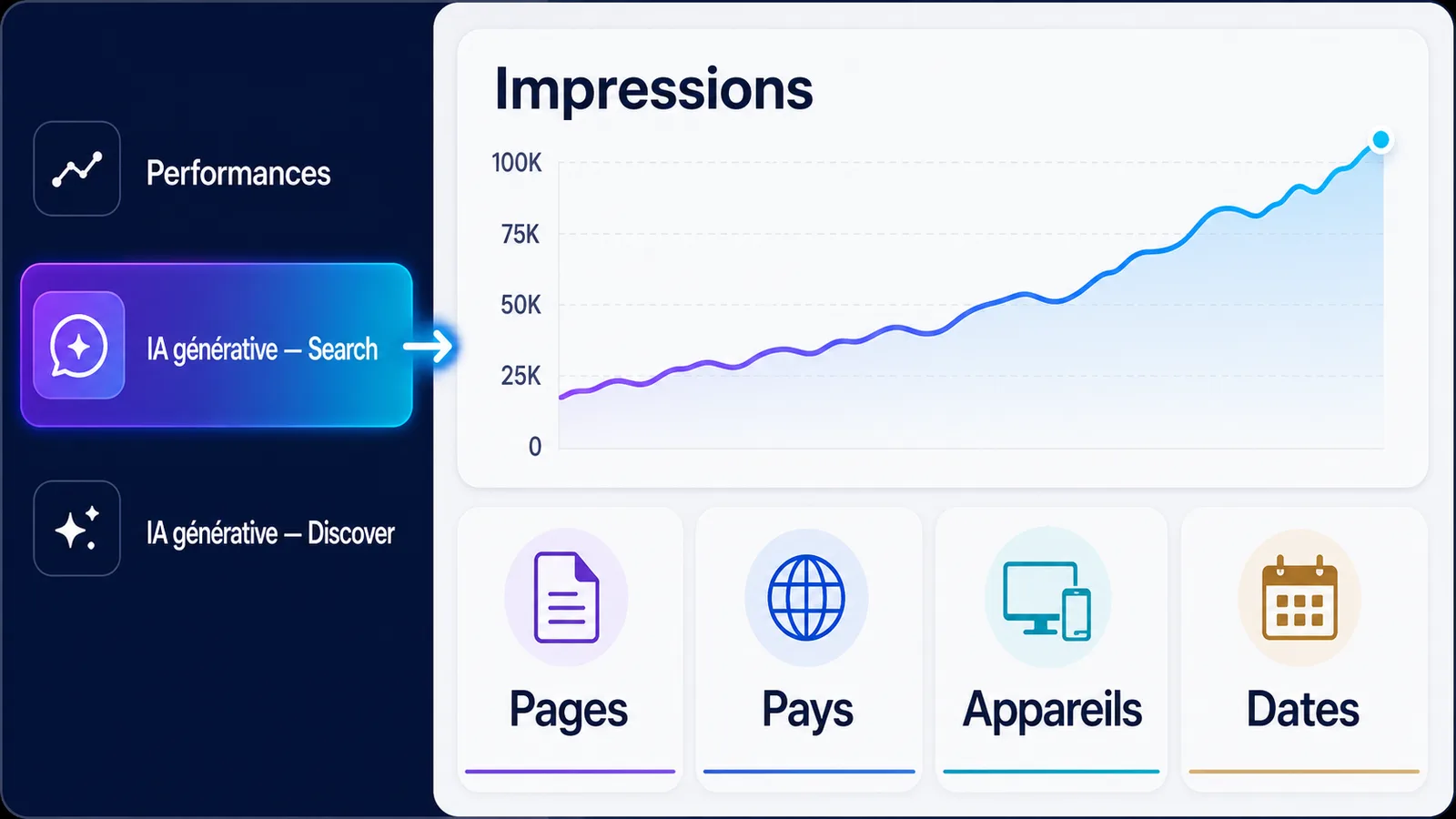
In the performance-related navigation, look for the report on generative AI in Google Search. Its exact title may vary depending on the language used in the interface, but the official documentation refers to Generative AI performance report Search.
This is a separate report from the one on generative experiences in Google Discover. To analyse AI Overviews and AI Mode in Google Search, please ensure you open the version linked to Search.
Once you’ve opened the report, start by checking three things:
- the selected property;
- the period under review;
- the Search section, not Discover.
This check may seem basic. However, it prevents data from different areas, time periods or properties from being compared.
Why might the report be missing?
Not seeing the report does not prove that your site has never appeared in a generative response.
Google gives three possible explanations:
- the rule is further applied to a subset of properties;
- the site has not reached a sufficient number of impressions to display data;
- the site has been excluded from generative AI features in the relevant settings.
Experiments carried out in Search Labs are also excluded from this data. These limitations are detailed in the documentation for the Search Console Generative AI report.
Common mistake
Don’t conclude that ‘my site isn’t appearing in AI Overviews’ simply because the report isn’t visible. The report may simply be missing due to a gradual roll-out or an insufficient data threshold.
What data is actually available?
The dedicated report is currently based on one key metric: impressions.
An impression is counted when a link to your site is actually shown to the user within a supported generative feature.
You can then break these impressions down into several categories.
The pages
This view allows you to identify the URLs on your site that appear in AI Overviews or AI Mode.
Data is generally assigned to the final canonical URL. An old redirected URL, a variant with parameters or a duplicate page may therefore not be displayed at the address you expected.
This is the most useful dimension to start with. It helps answer an initial strategic question:
Which pages does Google consider relevant enough to be suggested as resources in its generative experiments?
It doesn’t tell you why the page was selected. It tells you where to focus your analysis.
Countries
The geographical dimension helps you identify the markets where your pages are gaining visibility.
For a freelancer based in Réunion, for example, it may be useful to distinguish between a page primarily aimed at mainland France and one that is beginning to reach a more local or international French-speaking audience.
This information may affect the examples, currencies, regulatory references, practical information or the way in which an offer is presented.
Devices
Search Console also allows you to break down impressions by desktop, mobile and tablet.
If a strategic page is primarily viewed on mobile devices, its first screen takes priority. The reader must be able to understand quickly:
- who the content is aimed at;
- what main answer it provides;
- who wrote it;
- which action allows you to go further.
A tiny button, a hidden offer at the bottom of the page or a form that’s difficult to use can undermine good visibility.
Dates
The time dimension allows you to track the progression of impressions and compare different periods.
It is useful for detecting:
- a gradual rise;
- a one-off post;
- a loss of visibility;
- a difference before and after a page is updated;
- any seasonal variations.
Daily Search Console data is generally based on the Pacific time zone. A discrepancy may therefore arise with Google Analytics or a tool configured to the Réunion time zone.
What the report covers
The Search Generative AI report currently includes the impressions of the AI Overviews and the IA Mode.
On the other hand, the July 2026 version does not provide a dimension to separate these two experiments. A generative impression cannot therefore be automatically attributed to either.
Key points
The report currently shows where, when and in what general context your links were exposed. It does not yet show precisely the question asked, the generated click or the conversion obtained.
What Search Console does not yet allow you to isolate
This is where interpretations become dangerous.
The report dedicated to the general AI does not currently offer isolated clicks, CTR, average position, or queries.
Requests are not available
You may know the pages displayed, but not the exact questions that triggered their appearance.
This limit is particularly important with AI Mode. Google explains that its generative experiences can use a technique of query fan-out the initial question is broken down into several researches on different sub-topics.
A page can thus be used for a very specific part of a complex question without containing the words used in the original request.
If a page on "the price of a SEO accompaniment" appears in the report, it would be imprudent to say that it was displayed for that exact expression. It may have contributed to a broader comparison of benefits, timelines, deliverables or the choice between one-time audit and monthly follow-up.
IA clicks are not isolated
Google counts well as a click opening an external link from AI Overviews or AI Mode. But these clicks remain integrated into the overall performance report of the Web search.
The dedicated generative report does not yet display their number separately.
So you can see that a page has received:
- general impressions in the IA report;
- global clicks in the web report.
You cannot deduce how many of these clicks actually come from the IA Overviews or the IA Mode.
The PRL IA cannot be calculated properly
The CTR is the number of clicks divided by the number of prints.
Since the IA report does not provide isolated clicks, calculating an "CTR AI Overviews" using the overall clicks on the page would produce a false result. The clicks of the numerator could come from classical results, while the impressions of the denominator would be only generative.
The average position does not identify the source
In the General Web Report, generative appearances are incorporated into position data.
Google states that an AI Overview occupies a single position in the results page and that the links it contains receive the same position. In AI Mode, position rules generally follow the methodology used for research results, with specific rules for certain blocks and carousels. Google details these accounting methods.
A change in average position can therefore mix several realities:
- classic Web results;
- appearances in AI Overviews;
- links in AI Mode;
- different devices, countries and formats.
The average position remains useful to observe a trend. It should not be used as an isolated evidence of success or hindsight in general research.

What does an ‘impression’ actually mean in AI Overviews?
A general impression does not simply mean that Google has produced an answer on a subject close to yours.
For AI Overviews, the link must have been developed or brought into the user's visible area for printing to be counted. For AI Mode, standard printing rules apply.
This helps to remove a first confusion: a URL saved in the report was actually shown as a link, according to Google's counting rules.
But this impression does not prove:
- that your mark was named in the reply;
- that a specific sentence of your article has been included;
- google approves your method or offer;
- that the user noticed your link;
- that he clicked;
- that he identified you as the main source;
- he has become a prospector or customer.
We must therefore talk about visibility of a URL in a generative feature, and not automatically citation, recommendation or acquisition.
The same answer can make several links appear on your site
In the overall graph, data can be aggregated at the property level. If several results from the same site appear in a generative feature, they can count as a single print for the total site.
In the Pages view, the data is aggregated by URL.
This is one reason why the total of the graph may differ from the sum of the lines displayed. The 1,000 line limit and the usual Search Console data processing rules can also create discrepancies.
Action to be taken
Always analyze the site total and pages separately. Do not reconstitute an overall total by mechanically adding all exported lines.
Traditional research and AI experiments: can they really be compared?
Yeah, but not like two perfectly separated channels.
Search Generative AI report is a dedicated print view already included in the type performance report Web. Google did not add a second parallel traffic. It made part of the existing perimeter more visible.
In other words:
- the web report contains the overall research performance, including generic experiments;
- the IA report isolates certain general impressions;
- the two sets shall not be added together;
- the Web report does not only represent classical search.
Do not subtract numbers to invent a "classic" channel
Imagine the following data over 28 days:
- 42,000 impressions in the Web report;
- 6,300 impressions in the IA generative report;
- 900 clicks in the Web report.
You can say that Search Console counted 6,300 generative impressions among the global scope studied.
You can't say:
- 15% of traffic comes from AI;
- that the 900 clicks generated an IA CTR of 14.3%;
- that the remaining 35,700 impressions correspond with the classical search with certainty;
- thatAI Overviews has brought a precise number of visits.
A page may appear both in a generic block and in the classic results of the same search. The aggregation rules therefore prevent the automatic treatment of both environments as mutually exclusive channels.
Use an exposure index, not a share of traffic
To follow an internal trend, you can calculate:
General exposure index = general IA impressions ÷ overall Web impressions × 100
In the previous example, the index would be 15%.
This number does not measure clicks or traffic. It only indicates the relative weight of generative impressions in the observed Web visibility perimeter.
Use it to track an evolution on the same property, with the same parameters and method. Avoid comparing it directly with that of another site, whose audience, topics, countries and data volume can be very different.
The VIFLY method for analysing your data without making mistakes
A good analysis does not begin with a change in content. It starts with a clean comparison.
Step 1: Choose a sufficiently legible period
Start with 28 days and compare it to the previous 28 days.
For a recent site or with little data, use 90 days instead. A longer period will reduce the weight of daily variations, weekends and punctual peaks.
Avoid changing your strategy after two or three days of data.
Step 2: Export the pages of the general report
Sort the pages by number of prints, then find:
- those that progress;
- those that retreat;
- those which appear for the first time;
- those which remain stable;
- those of real commercial importance.
A page that gets a lot of impressions is not necessarily a priority. A page with a smaller volume can be more strategic if it presents an offer, responds to a critical objection or precedes a contact.
Step 3: Open each page in the General Web Report
In the classic performance report, apply a filter to the relevant URL and resume exactly the same period.
Then observe:
- global web impressions;
- global clicks;
- the overall RTC;
- the overall average position;
- countries;
- apparatus;
- visible requests.
These data remain mixed. Their role is to give context, not artificially reconstruct AI clicks.
Step 4: Compare trends, not just totals
Ask yourself four questions:
- Do generative impressions progress faster than global Web impressions?
- Does the page also win global clicks?
- Is there a country or a device consistent with your activity?
- Is the destination page able to turn this visibility into the next step?
An increase in IA impressions accompanied by an increase in web clicks is an interesting signal. However, it is not enough to assign clicks to the AI.
An increase in IA impressions with stable clicks can signal additional visibility without proving that users choose your link.
A drop in clicks with stable impressions deserves investigation. It doesn't prove that AI Overviews is stealing your traffic.
Step 5: Connect pages to your commitment data
Search Console measures what happens before arrival on your site. Google Analytics or your measurement solution comes after the click.
For the pages identified in the general report, consider:
- sessions resulting from organic research;
- commitment time;
- depth of reading;
- clicks to an offer;
- contact requests;
- account creation;
- reservations;
- sales or registrations.
Google recommends combining Search Console and Analytics to understand both search performance and site behavior. However, the two tools use different time zones and methods, which can produce deviations. Google documentation explains how to reconcile these sources.
Do not present the organic sessions of a page as "AI Mode traffic" if there is no data to isolate them. Instead, analyze the page's ability to engage and convert the visitors it receives.

Seven conclusions not to jump to too quickly
"My page has impressions, so Google quotes it"
The report confirms the display of a link according to the printing rules. It does not provide the text of the answer or any passage used.
Speak of appearance or visibility, not automatically quote.
"My PRL dropped because of AI Overviews"
This is a possible hypothesis, not a conclusion demonstrated by the report.
A drop may also come from a change in position, seasonality, less attractive title, new competitors, changes in intent or changes in the results page.
" This page gets IA impressions, I have to rewrite it entirely »
A page already exposed probably has elements that are considered relevant. Mass rewriting can remove what worked.
Start by identifying gaps:
- information has become obsolete;
- too vague a response;
- lack of evidence;
- lack of examples;
- unidentifiable author;
- offer poorly linked to content;
- next invisible step.
Accurately improve, then observe.
" I need a page for every question possible »
Google indicates that its systems include synonyms and general meanings. Creating a multitude of almost identical pages to cover each query variation is likely to produce redundant content.
The new Google documentation highlights the unique, useful and difficult to replace content with a generic summary. It also advises against fake AEO or GEO shortcuts, artificially cutting content and creating a llms.txt file for the sole purpose of improving its visibility in Google Search. The official guide on optimization for generative features was updated on 10 july 2026.
« Adding a special markup will make me appear »
There is no special Schema.org markup for AI Overviews or AI Mode.
Structured data remains useful when they accurately describe the visible content and correspond to a supported functionality. They do not guarantee indexation, classification or a general appearance.
« More IA printing means more customers »
An impression is located at the beginning of the course.
Between this impression and a sale, several steps remain:
- notice the link;
- feel like clicking;
- understand the page;
- identify the author;
- trust;
- find the offer;
- choose the next action;
- to complete this action.
This is why more visibility does not automatically mean more customers.
"I didn't appear in the report, so my SEO is bad"
Generative experiments are not triggered on all research. Their availability also depends on the countries, languages, topics and systems used by Google.
The IA report is an additional indicator. It does not replace the overall analysis of indexing, queries, clicks, positions and conversions.
Which pages should be analysed first?
The most obvious answer would be: the pages that get the most impressions.
She's not always the best.
A good priority is at the crossroads of four criteria.
1. General visibility
Mentally assign a score of 0 to 3 depending on the volume, progression and regularity of IA impressions.
A page that appears once during a peak should not receive the same priority as a page that is regularly progressing over several weeks.
2. Importance to your creator business
Can a page lead to an offer, a quotation request, a contact or a reservation?
A highly consulted but far removed article from your main activity may be less priority than a more targeted guide read by the right people.
3. The margin for editorial improvement
Check if the page actually brings:
- a specific answer;
- an identifiable view;
- a lived experience;
- a method;
- proof;
- limits;
- examples;
- a visible update date;
- reliable sources.
The greater the gap between visibility and current quality, the greater the potential for improvement.
4. The clarity of the course after reading
Does the page clearly indicate the following?
A reader must be able to quickly understand:
- who you are;
- what you propose;
- to whom it is addressed;
- where to find your other resources;
- how to contact or book.
You can rate each criterion from 0 to 3. A page with 10-12 points deserves a quick analysis. Between 7 and 9, plan an improvement. Below, watch before intervening.
This score is not a Google metric. It is an internal method of prioritization designed to avoid working only on volume.

Practical examples tailored to your creator business
Content creator
A guide on the preparation of a media kit begins to receive general impressions.
Don't just add keywords. Check if the page contains a concrete example, the information expected by a brand, a calculation method, frequent errors and a clear next step.
The reader can then be directed to your professional profile, achievements or LinkHub VIFLY to centralize its links and offers.
Coach
A page comparing a one-time session and a multi-week accompaniment is becoming more visible.
The priority is not to repeat "individual coaching" ten times. The person must be assisted in choosing: objectives, level of commitment, limits of each formula, progress, rate or terms.
Once the decision is clarified, simple access to VIFLY Booking can reduce the distance between search and booking.
Consultant
An article on the difference between a one-time audit and a monthly accompaniment appears in the IA report.
Add decision criteria, an example of deliverable, situations where each solution is appropriate, and cases where you refuse a mission. These clarifications strengthen credibility more than a commercial text promising rapid results.
Trainer
A page on synchronous or asynchronous formation gets impressions.
Analyze whether it answers the real questions: autonomy, pace, support, evaluation, access to resources, expected results and technical constraints. A complete response can attract a more qualified audience than just a presentation of the program.
Freelance or independent
A guide to the price of a showcase site can be presented in complex comparisons.
Present the factors that make the tariff vary, which is included, what is not, the recurring costs and the consequences of poor framing. Your local or sectoral experience can create a value that a general summary cannot reproduce.
Entrepreneur
A page on the choice between a one-time service and a subscription can attract people who are still in the process of thinking.
Your content must help them decide before they seek to sell. A clear offer, a credible profile and a simple action will then relay.
AI visibility is only valuable if the user journey remains understandable
Generative experiences can bring a person directly to a deep page of your site.
She won't necessarily go through your welcome. She can discover your activity through a single paragraph, a single answer or a single guide.
Each strategic page must therefore be able to function as an autonomous entry door.
Make sure it understands:
- your area of expertise;
- the audience you help;
- the value of your approach;
- proof of your experience;
- the relevant supply or resource;
- the next possible action.
For a creator or an independent, the journey can remain very simple:
useful content → credible profile → understandable offer → Organized LinkHub or Booking accessible.
That is precisely the role of VIFLY : to gather the elements that prevent an interested person from having to look everywhere for what you propose and how to move forward.
The Search Console report shows which doors Google is starting to open. Your ecosystem must then prevent them from reaching an empty corridor.
The 30-minute monthly routine
You do not need to consult this report every morning.
A structured monthly analysis is usually sufficient to begin:
- Compare the last 28 days to the previous 28 days.
- Note the total of general impressions.
- Export visible pages.
- Identify the three largest increases and the three largest decreases.
- Check the countries and aircraft concerned.
- Open these pages in the General Web Report.
- Control their engagement and conversions in your Analytics tool.
- Choose one useful improvement per page.
- Keep a note dated the amendment.
- Wait for enough data before assessing its effect.
Key points
Measure does not require modification. Some pages need to be improved, others simply observed. A stable strategy is better than a succession of reactions to each variation.
Conclusion: don’t look for an AI score; look for the right decisions
The new Search Console report finally answers an important question: Which pages of your website gain visibility in Google's generative experiences?
It does not yet respond to all the following.
It does not allow to separate clicks, CTR, queries or conversions. It does not separate AI Overviews from AI Mode. It does not prove that a mark has been cited or recommended. Nor does it automatically assign a decrease in traffic to the responses generated by Google.
Its true value is elsewhere.
It helps identify the pages Google exposes in new search contexts. Then you check whether these pages deserve this visibility, respond to a complex intention, show real expertise and naturally direct the reader towards a next step.
The fundamentals remain the same: useful content, indexable page, clear structure, reliable sources, real experience, relevant internal links and simple path.
There is no warranty to appear in AI Overviews or AI Mode. But it is possible to build a site that deserves to be found, understood and consulted.
And when this visibility arrives, create a space VIFLY allows you to link your content, profile, offers and reservations more clearly.
Visibility opens a door. Clarity makes you want to cross it.
Frequently Asked Questions – FAQ
Where to find the AI Overviews report in Google Search Console?
Select your property, then look for the report on the performance of the general AI in the performance section. The Search report currently includes the impressions from AI Overviews and from AI Mode. Its deployment being progressive, it may not yet appear on your property.
Can we see the requests that trigger an appearance in AI Mode?
No. The currently documented version of the report does not propose a Request dimension. It allows to analyze pages, countries, devices and dates, but not the exact questions or secondary searches generated by the fan-out query mechanism.
Does Search Console separate AI Overviews and AI Mode?
No. The impressions of both features are currently grouped in the Search Generative AI report, without a filter allowing them to be distinguished.
Can we measure the CTR of AI Overviews?
Not exactly with the dedicated report. The general impressions are visible, but the corresponding clicks are not isolated. Using global web clicks to calculate an IA RTC would mix different perimeters.
Which pages should be analyzed first?
Start with pages whose generative impressions progress and which play an important role in your activity. Give priority to those who respond to a complex intention, have room for editorial improvement and can lead to an offer, contact or reservation.
Sources and references
- Google Search Central — Report Announcement Search Generative AI in Search Console
- Help Search Console — Generative AI performance report for Search
- Google Search Central — Optimizing a site for Google Search's generic features
- Google Search Central — IA Features and Websites
- Help Search Console — Accounting for clicks, impressions and positions
- Help Search Console — Limitations and Data Processing
- Google Search Central — Use together Search Console and Google Analytics
- Google Search Central — Creating useful, reliable and people-first content